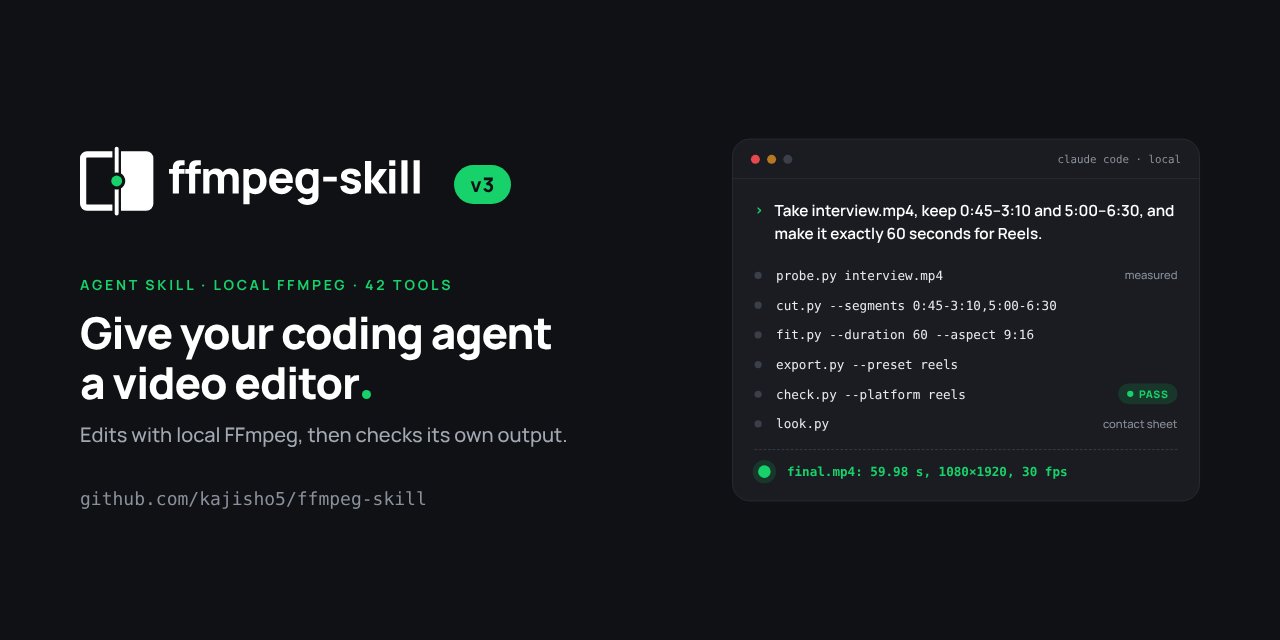
Claude Code video editing with ffmpeg-skill runs entirely on your machine. The skill, maintained by kajisho5, gives Claude Code, Cursor and Codex 42 Python scripts that drive your local FFmpeg to cut, reframe, caption, normalise loudness and check a file against a platform’s spec, with no upload and no API key. We ran the README’s own example on an Apple M4 Mac with Homebrew FFmpeg 8.1: keep two segments of an interview and make the result exactly 60 seconds for Reels.
Every step finished and reported what it measured, and the one step that missed its target said so. What came out still depended on three defaults that are easy to miss when an agent picks the flags: the Python a Mac ships with and Homebrew’s standard FFmpeg build, a duration fit that speeds the clip up instead of trimming it, and an export that measures loudness without fixing it. We ran the scripts the skill tells the agent to run by hand, on a synthetic test clip, rather than through a Claude Code session.
How to set up Claude Code video editing with ffmpeg-skill
To set up Claude Code video editing with ffmpeg-skill, you need FFmpeg 6.1 or later, Python 3.10 or later and Node 16 or later for the installer, then one command: npx ffmpeg-skill. It copies the skill to ~/.claude/skills/ffmpeg-skill; --cursor, --codex or --all target the other agents.
brew install ffmpeg            # or ffmpeg-full, see below
npx ffmpeg-skill               # Claude Code; --cursor, --codex or --all for the others
npx ffmpeg-skill doctor        # check Python, FFmpeg and every filter the tools need
Claude Code 2.1.275 and later can also install it as a plugin with /plugin install ffmpeg-skill --marketplace kajisho5/ffmpeg-skill, and the README lists a Codex plugin and a Gemini CLI extension. Copies are not updated automatically; re-running npx ffmpeg-skill refreshes them.
ffmpeg-skill doctor on a stock Mac
Run doctor before the first job, because a Mac’s defaults fail it in two places.
The first is Python. On our machine python3 resolved to Apple’s Command Line Tools build, 3.9.6, and doctor stopped with “could not find a Python 3.10+ interpreter (tried: python3)”. Putting Homebrew’s Python 3.13 first on PATH fixed it. A single script such as probe.py still ran under 3.9, which is the trap: an agent can get partway through a job before something breaks.
The second is the FFmpeg build. With Homebrew’s standard ffmpeg 8.1, doctor reported ok: false and marked 39 of the 42 tools usable. The three that were not:
| Tool | Missing from the build | What it does |
|---|---|---|
caption.py | subtitles filter (libass) | Burns or muxes captions, including karaoke styles |
graphics.py | drawtext filter (freetype) | Titles, lower thirds and other text graphics |
stabilize.py | vidstabdetect / vidstabtransform | Two-pass stabilisation |
doctor names the fix for each: brew install ffmpeg-full, which is keg-only, so you also have to put $(brew --prefix ffmpeg-full)/bin first on PATH in your shell profile. The README makes the same point: doctor’s overall ok turns false when any one tool lacks a component, so read the per-tool usable field before concluding the install is broken. doctor also flagged that FFmpeg 8.1 predates the fix for CVE-2026-8461, a heap overflow in the MagicYUV decoder fixed in 8.1.2.
Claude Code video editing test: a 60-second Reels cut
The test followed the README’s Reels example step for step on a 4-minute, 1920×1080, 30 fps H.264 clip with a mono AAC tone, generated with FFmpeg’s testsrc2 source. The skill’s routine is probe first, edit losslessly where possible, then check and look at the result. These are the commands and what each one reported on the M4:
| Step | Command (abridged) | Result | Wall time |
|---|---|---|---|
| Probe | probe.py interview.mp4 --compact | 240.000 s, 1920×1080 at 30 fps, H.264, AAC mono 44.1 kHz | under 1 s |
| Cut two segments | cut.py --segments 0:20-2:10,2:30-3:40 | 180.000 s at frame precision; re-encoded because no keyframe sat within 0.5 s of the cut points | 41.8 s |
| Fit to 60 s and 9:16 | fit.py --duration 60 --aspect 9:16 --fit crop | 60.000 s, 608×1080, played at 3.000x | 5.9 s |
| Export | export.py --preset reels | 1080×1920 H.264, 60.000 s; loudness −32.5 LUFS; verified: false | 10.9 s |
| Check | check.py --platform reels | 1 of 13 checks failed: loudness | under 1 s |
| Export again | export.py --preset reels --normalize | −14.01 LUFS, −8.6 dBTP; verified: true | 14 s |
| Check again | check.py --platform reels | all checks pass; optional subtitle track flagged as a warning | under 1 s |
| Look | look.py | 12-frame contact sheet, one frame every 5 s | under 1 s |
Two things stood out. Each script printed the exact ffmpeg command it ran and returned JSON with status, verified and an unverified list, so an agent reading the output can tell a measured pass from a guess. And the failure was loud: when the first export missed the platform’s loudness target, the tool said so, named the fix (loudness.py -I -14 --tp -1, or --normalize) and check.py exited with an error.
The cut step also shows why the README calls stream copies “lossless when possible”. Our clip was encoded with x264’s default keyframe spacing, and cut.py found no keyframe within its 0.5-second tolerance of the cut points, so it recorded reencode_reason: tolerance and re-encoded both segments at frame accuracy instead of copying them. On camera footage with similar keyframe spacing, expect the same trade: exact cut points cost an encode, and --tolerance -1 keeps the copy at the price of snapping to the earlier keyframe.
ffmpeg-skill fit duration: speed vs trim
fit.py --duration changes playback speed by default. Asked to make our 180-second cut exactly 60 seconds, it retimed picture and sound to 3.000x, with the audio sped up through pitch-preserving atempo filters. The output was 60.000 seconds long and passed every duration check, and every spoken word in a real interview would have gone by three times as fast.
The script’s help spells out the alternative:
-
--method speed(default) retimes the whole clip to hit the duration.--max-speedcaps it at 4x; when we asked for 30 seconds, which needed 6x,fit.pyrefused withrequired speed factor 6.00x exceeds --max-speed 4.0x; use --method trim or raise the limit. -
--method trimkeeps the first N seconds at normal speed, or the middle with--from-center. Our trimmed run returned a 60-second, 608×1080 file with no retiming.
The README’s own example asks for 145 + 90 seconds of interview in 60 seconds, which under the default would play at about 3.9x. When you hand Claude Code a target length, say which you want: cut more segments, trim, or speed up. The skill measures the duration it was asked for; it has no way to know the request meant “pick the best minute”.
ffmpeg-skill loudness normalize: why the first export failed
ffmpeg-skill’s Reels preset fixes the frame, codec and frame rate, but it measures loudness rather than changing it unless you pass --normalize. Our first export came out at −32.5 LUFS integrated and −27.6 dBTP true peak against the Reels target of −14 LUFS and −1 dBTP, so export.py returned verified: false and check.py --platform reels failed the file.
Re-exporting with --normalize ran a two-pass loudnorm and measured −14.01 LUFS and −8.6 dBTP, and the check then passed. The README’s targets are −14 LUFS / −1 dBTP for YouTube and social platforms, −16 LUFS / −1.5 dBTP for podcasts and −23 LUFS for broadcast. It also warns that a clip measured at −40 LUFS or below is room tone, and raising it raises the noise. The README’s render.py --template tiktok example bundles the 9:16 crop, captions, −14 LUFS, the export preset and the platform check into one command, and templates also ship for Reels, Shorts, YouTube, X, LinkedIn and podcasts; that path avoids the second encode we needed.

The contact sheet look.py produced for our 60-second export: only the centre third of the 16:9 test pattern survives the 9:16 crop. No timecodes, because the Homebrew build lacks drawtext. Source: AgentsPulse test, Nov 18, 2026.
What ffmpeg-skill verification checks and misses
ffmpeg-skill verification checks what it can measure from the written file: that it opens and decodes at both ends, its duration, codecs, size and frame rate, stream counts, and each tool’s own promise, such as loudness after loudness.py or a platform’s limits in check.py. A value it cannot read fails as not_measured instead of passing. The README is direct that verified cannot tell you whether the result looks or sounds right, and each writing tool lists what it did not check under unverified.
In our run, fit.py reported verified: true with unverified: ["subject_framing"]. The contact sheet shows why that matters. Cropping 16:9 to 9:16 discards about 70% of the width, and fit.py centres the crop by default; on the test pattern, only the middle yellow and blue bars were left. On a real interview, a speaker standing off-centre would be cut out of frame with every check still green. The fixes are --crop-x and --crop-y to push the window toward the subject, or --fit pad --pad-fill blur to keep the whole frame. The skill tells the agent to run look.py after any picture change for exactly this reason, so ask Claude Code to show you the sheet, not just the summary line.
The project’s own tests carry the same split between measured and judged. The maintainer reports that silence.py missed no gaps across 20 cases with known silences, and that in a 100-prompt agent evaluation with a Sonnet agent the agent made no raw ffmpeg calls and reported no false successes. Our silence.py --list run found all 12 gaps we built into the tone, starting at 14.002 s against the 14 s we generated, in 0.6 seconds. Caption placement, legibility and whether a removed span held speech stay in unverified.
Claude Code video editing MCP: running ffmpeg-skill as a server
For MCP clients without a shell, such as Claude Desktop, ffmpeg-skill also runs as an FFmpeg MCP server: npx -y ffmpeg-skill mcp starts a stdio JSON-RPC server, and the project is listed in the MCP Registry as io.github.kajisho5/ffmpeg-skill. The same scripts sit behind it, and their input schemas are generated from each script’s argument parser, so a new flag appears over MCP without a separate edit.
The server keeps the tool list short on purpose. tools/list advertises 12 core tools by default, render, look, caption, export, check, fit, cut, audio, loudness, graphics, silence and probe, and FFMPEG_SKILL_MCP_FULL=1 lists all 42; we got 12 and 42 from mcp/server.py --list. The other 30 can still be called by name through tools/call. Every schema an MCP client loads takes room in the model’s context, the same cost that shows up in our token comparison of browser tools for agents.
Two design choices limit what an agent can do through it. No tool accepts a raw ffmpeg argument string or filter graph, so a prompt cannot smuggle an arbitrary command through a tool call. And probe, check and cropdetect are marked read-only, while every other tool carries a destructive hint because --overwrite can replace an existing file; without that flag an existing output is refused before anything runs. If you are wiring MCP tools that write files into a shared system, the document-lock issue in Payload’s MCP plugin shows what goes wrong when a write tool skips that kind of guard.
ffmpeg-skill vs video-use vs Remotion
ffmpeg-skill, video-use and Remotion all show up when you search for Claude Code video editing, and they solve different parts of the job:
| ffmpeg-skill | video-use (browser-use) | Remotion | |
|---|---|---|---|
| Starts from | Footage you already have | Raw footage dropped in a folder | React components |
| How the agent decides cuts | You name the segments; tools measure and execute | Reads a word-level transcript and plans an edit list | You write the composition |
| Cloud dependency | None; local FFmpeg and Python | ElevenLabs Scribe API key for transcription | Not covered in our test |
| Self-check | Per-tool verified plus check.py and a contact sheet | Inspects every cut boundary of the render, re-renders up to 3 times | Via remotion-ffmpeg-skill, which runs ffmpeg-skill’s check.py and look.py on the render |
| Best for | Exact, measurable edits and platform delivery | Edits chosen from what was said, transcript first | Motion graphics and video generated from code |
video-use’s README asks the agent to set up an ElevenLabs API key during install, and its pipeline runs transcribe, pack, LLM reasoning, an edit decision list, render and self-evaluation. That makes it the stronger fit when the hard part is choosing which sentences to keep. ffmpeg-skill deliberately leaves that decision to “a brain” in front of it, in the README’s words, and focuses on executing and measuring. Its speech features, filler-word removal and captions from speech, need a local engine such as faster-whisper or Parakeet, installed separately.
Remotion pairs with ffmpeg-skill rather than replacing it. The README describes a companion, remotion-ffmpeg-skill, that measures footage with ffmpeg-skill, draws graphics in Remotion from those measurements, and checks and delivers the result with ffmpeg-skill again. A file Remotion renders is an ordinary input to probe.py, cut.py and check.py.
If your team already has a verification loop for Claude Code, ffmpeg-skill slots into it naturally: its JSON results and check.py exit codes are the kind of evidence a Stop hook can test before Claude is allowed to say a render is done. The same pattern, a skill that writes a real file and a check that opens it, applies to document output too, as in Claude’s PowerPoint skill. If you run several agents side by side, T3 Code and Claude Code Projects cover how to coordinate them, and the shift to stateless MCP gateways matters once tools like this one are shared across a team.
For a first run, keep the request specific: name the segments, say trim or speed, give the loudness target or platform, and ask for the contact sheet. Those four details are where our test’s output diverged from what a person would have meant.
References
- kajisho5. “ffmpeg-skill” README, version 3.10.1, commit f1c97cb, November 15, 2026. github.com/kajisho5/ffmpeg-skill
- kajisho5. “ffmpeg-skill” on npm. Read November 18, 2026. npmjs.com/package/ffmpeg-skill
- browser-use. “video-use: Edit videos with coding agents” README. Read November 18, 2026. github.com/browser-use/video-use